




What Is BYOC? A Smarter Alternative to Expensive Managed Databases

BYOC database (Bring Your Own Cloud) is a deployment model where your database runs inside your own cloud account, while a third-party platform manages operations like provisioning, backups, monitoring, and failover.
Unlike traditional managed databases like AWS RDS, BYOC gives you full ownership of your infrastructure, data, and cloud costs without taking on the operational burden of self-hosting.
In simple terms, BYOC combines the control of self-hosting with the convenience of managed databases.
Think of it this way.
With a fully managed database like AWS RDS, you hand over both your data and your infrastructure to the provider, a model that often becomes increasingly expensive as systems grow and architecture becomes more complex.
In fact, across providers, the same PostgreSQL setup can range widely in cost depending on pricing models and hidden charges, as shown in this Managed PostgreSQL Comparison (2026): $0 to $475/month.
With self-hosting, you keep everything but manage it all yourself. BYOC sits in between. You keep everything. Someone else manages it for you, a shift that becomes clearer when you look at the trade-offs between managed and self-hosted databases.
As systems grow, those trade-offs become more than theoretical, they show up as real constraints and failures. This breakdown of what actually breaks when scaling managed vs self-hosted databases explains where each model starts to struggle.
If you’re comparing BYOC with AWS RDS and self-hosted PostgreSQL from a cost perspective, this detailed AWS RDS vs self-hosted PostgreSQL cost comparison breaks it down clearly.
Table of Contents

This model is gaining traction among startups, SaaS companies, and engineering teams hitting the limits of traditional managed databases, with rising costs, limited configuration control, and growing concerns around data residency and vendor lock-in.
This guide breaks down how BYOC works, how it compares to managed and self-hosted databases, when it makes sense, and when it does not.
What is a BYOC database (Bring Your Own Cloud)?
BYOC stands for Bring Your Own Cloud.
In the context of databases and cloud infrastructure, it means you provide the cloud account (AWS, GCP, or Azure), and a BYOC vendor deploys and manages your database within that account.
The term gained traction around 2021–2022, as teams began questioning why managed database providers controlled both infrastructure and operations. The answer was simple: they don’t. BYOC separates the two.
How BYOC databases work (architecture explained)
Most people understand managed databases (someone else runs it) and self-hosted databases (you run it yourself). BYOC can feel confusing at first because it blends the two. Here is how it works under the hood.
The Control Plane vs Data Plane Split
Every BYOC architecture has two parts:
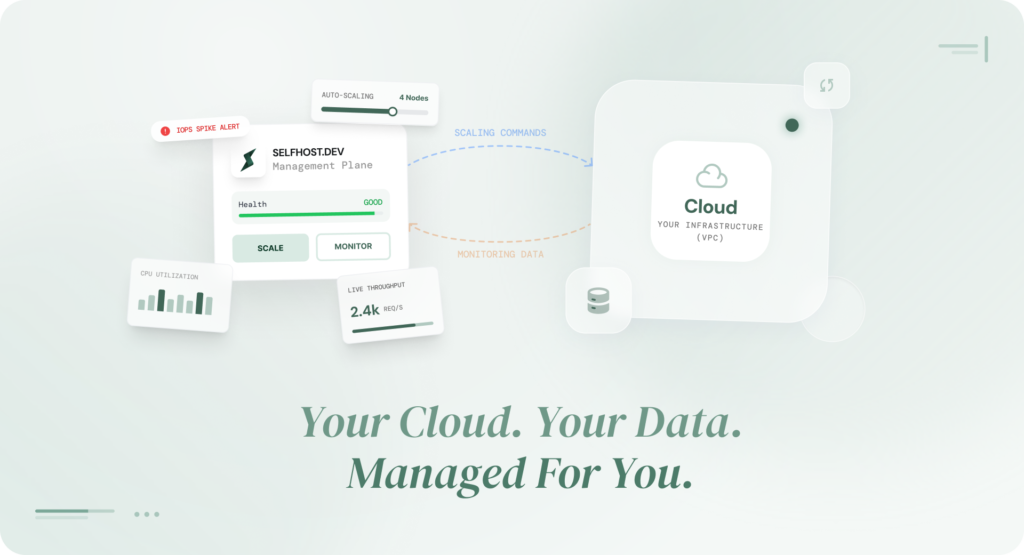
The control plane runs in the BYOC vendor’s infrastructure. This is the brain. It handles orchestration, deciding when to take backups, when to trigger failover, when to apply patches, how to scale resources. It sends instructions, but it never touches your data.
The data plane runs entirely inside your cloud account. This is where your database engine lives, where your data is stored, where queries are processed. Your VPC. Your subnets. Your encryption keys. Your bill.
The separation is the whole point. The vendor has the expertise to manage a production database. You have the infrastructure and the data. BYOC connects the two without mixing them.
In a BYOC model, the vendor manages operations without ever accessing your data directly.
The Agent Model
So, if the database lives in your cloud account, how does the vendor actually manage it?Through a small piece of software called an agent.
When you set up a BYOC database, this agent gets installed alongside your database inside your cloud account. Its job is simple: it talks to the vendor’s control plane, picks up instructions, and carries them out locally.
For example, the control plane might say: “take a backup now” or “apply this security patch.” The agent pick up that instruction, runs it inside your environment, and reports back that it is done.
The part which matters most of security purposes is: the agent always reaches out to the vendor. The vendor never reaches in. There are no inbound connections into your infrastructure. No open ports. No access from the outside.
The vendor manages your database by telling the agent what to do but the agent is the only one doing the work, and it does all of it inside your cloud account.

BYOC vs Managed Databases vs Self-Hosted: What is the Real Difference
Most teams think they have two options for running a database:
- Fully managed database: convenient but expensive, and you give up control altogether.
- Self- Hosted: cheap but painful, and you need a dedicated team to keep it running.
BYOC is the third option.And once you understand it, the choice becomes less about compromise and more about what your team actually needs.
If you want to see how these trade-offs play out across real providers and pricing tiers, this Managed PostgreSQL Comparison (2026): $0 to $475/month breaks it down in detail.
BYOC vs SaaS vs self-hosted databases: key differences explained
| Decision Factor | Fully Managed (RDS / SaaS) | Self-Hosted (EC2 / GCE) | BYOC (Bring Your Own Cloud) |
|---|---|---|---|
| Infrastructure ownership | Provider | You | You |
| Operational responsibility | Provider | Your team | BYOC vendor |
| Data control & residency | Limited (provider decides region options) | Full | Full |
| Cost visibility & predictability | Low (bundled, opaque pricing) | Full (you see every line item) | Full (transparent infra cost + predictable management fee) |
| Vendor lock-in risk | High (migration is painful) | None | Low (data stays in your cloud, easier to migrate) |
| Setup time | Minutes | Hours to days | Minutes |
| Operational burden on your team | None | Full (backups, patches, monitoring, failover) | Minimal |
| Configuration access | Limited (restricted postgresql.conf, limited extensions) | Full | Full |
| Compliance control | Provider-dependent | Full | Full |
| Scaling flexibility | Provider-defined tiers | Manual (you figure it out) | Flexible (right-size anytime) |
SaaS databases are easiest to start with but offer limited control.
Self-hosted gives full control but requires significant operational effort, while BYOC provides a balance of control, cost efficiency, and managed operations.
The real question is not which model is best. It is which tradeoffs your team can live with at your current stage.
If you are an early-stage startup building an MVP over a weekend, a managed database is fine. Just spin up an RDS instance and focus on shipping.
But if your database bill is climbing, or your compliance requirements are getting stricter, or you are tired of paying a premium for infrastructure you could own, BYOC gives you a way out without taking on the operational weight of self-hosting.
This is where tooling becomes critical. A PostgreSQL MCP Server allows you to manage your database infrastructure inside your own cloud using AI, without the usual operational complexity.
We covered this tradeoff in more detail in our breakdown of managed vs self-hosted databases and the 5 limitations that show up at scale.
The difference between these models becomes much clearer at scale, when limits and operational complexity start to surface. Here’s a deeper look at database scaling managed vs self-hosted and what breaks first in real-world systems.
Which model should you choose?
- Choose SaaS: if you want simplicity and zero infra involvement
- Choose self-hosted: if you need full control and have DevOps expertise
- Choose BYOC: if you want control without operational burden
Is BYOC better than managed databases?
BYOC (Bring Your Own Cloud) is often a better choice than managed databases for teams that need more control over infrastructure, data, and costs. It combines the operational simplicity of managed services with the ownership and flexibility of self-hosting.
While managed databases are easier to start with, BYOC becomes more effective as systems scale, especially when cost transparency, data residency, and vendor independence become important.
Why SaaS Teams Are Moving TO BYOC Databases
BYOC is not a theoretical concept that sounds good in architecture diagrams. Real teams are adopting it for specific, practical reasons. Here are the ones that come up most often.
Cost Visibility and Control
Managed databases bundle everything into one price including compute, storage, management, backups, and a margin on top. You pay a single bill, and you have no idea how much of it is actual infrastructure cost versus provider markup.
This markup difference becomes clearer when you compare providers side by side. A detailed Managed PostgreSQL Comparison (2026): $0 to $475/month shows how much of your bill actually goes toward infrastructure versus platform overhead.
With BYOC, those layers are separated. You pay your cloud provider directly for the compute and storage (at standard cloud rates, with your existing discounts and reserved instances applied). You pay the BYOC vendor a separate, transparent fee for the management layer.
The result is that most teams see their database costs drop by 35-60% after switching.
Here is a real example. A PostgreSQL m6g.large instance with Multi-AZ enabled in ap-south-1 (Mumbai) costs $378.27/month on AWS RDS, according to the AWS Pricing Calculator. The exact same configuration on SelfHost.dev, same instance type, same region, same Multi-AZ failover, fully managed, costs $108.66/month. That is a 71% reduction.
The infrastructure pricing differences become even more pronounced when equivalent production PostgreSQL workloads are compared across providers like AWS RDS and Hetzner Cloud. The infrastructure is identical. The only difference is who manages it and how much they charge you for it.
This is not a hypothetical number. We broke down exactly how a standard AWS RDS setup goes from $138/month at the early stage to $744/month once your product starts growing and most of that increase is not from the infrastructure itself but from how RDS prices its management layer.
This trade-off becomes much clearer when you look at real-world costs across all three models in this AWS RDS vs self-hosted PostgreSQL comparison.
This is often the point where teams realise it’s not just about cost, it’s about how systems behave as they scale. This guide on what breaks first in managed vs self-hosted database scaling explains why these trade-offs become unavoidable.
Compliance Without Compromise
For teams building in regulated industries such as fintech, health tech, enterprise SaaS etc. data residency is not optional. Your data needs to stay in specific regions, under specific encryption controls, with a clear audit trail of who accessed what.
With a managed database, your data lives in the provider’s infrastructure. You trust their compliance certifications, their encryption, their access controls. For some teams, that is fine.
For others, particularly those going through SOC 2 audits, handling HIPAA-covered data, or serving European customers under GDPR, it is a risk they would rather not carry.
BYOC eliminates this concern at the architecture level. Your data stays in your cloud account, encrypted with your own KMS keys, in the region you choose. The BYOC vendor manages the database but
literally cannot decrypt your data at rest. During a compliance audit, you can point to your own infrastructure and say: “Here is where the data lives. Here is who has access. Here are the logs.”
No More Vendor Lock-In
Here is a question most teams do not think about until it is too late: what happens when you want to leave your managed database provider?
With RDS, migrating away means exporting your data, reconfiguring your application, setting up a new database from scratch, and hoping the transition does not break anything. With some managed providers, you are locked into proprietary extensions, connection formats, or authentication mechanisms that make the switch even harder.
With BYOC, your database runs on standard cloud infrastructure that you already own. If you want to switch BYOC vendors, the database stays exactly where it is. You are only changing who manages it, not where it lives or how it is built.
That is a fundamentally different relationship with your database provider.
Full Configuration Access
If you have ever used a managed database like RDS, you know how limiting it can be. You cannot change core settings. You can only use extensions the provider has approved. You are stuck working within their boundaries, even when those boundaries do not fit your needs.
With BYOC, there are no such restrictions. You get full access to configure your database exactly the way your application needs it. Want to install a specific extension? Go ahead. Need to fine-tune performance settings for your workload? It is your database.
That flexibility matters even more for AI workloads, where extensions like pgvector require careful tuning around indexing, memory, query planning, and retrieval performance once systems reach production scale.
When BYOC is NOT the Right Choice
BYOC is not a universal answer. There are situations where it does not make sense, and being honest about when it is not the right fit matters more than pushing the model on everyone.
Here are a few scenarios where you are better off with a different approach.
You probably do not need BYOC if:
You are building a weekend project or an early MVP: Just use a managed database. The extra control BYOC offers will not matter when you are still validating whether anyone wants your product. Ship first. Optimize later.
Your monthly database bill is under $50: The cost savings from BYOC are real, but they are proportional. If your managed database costs less than a dinner out, the change is not worth thinking about yet.
Your team has zero cloud infrastructure knowledge: BYOC requires you to have a cloud account and a basic understanding of how VPCs, IAM roles, and security groups work. You do not need a DevOps team, but someone on the team needs to be comfortable logging into AWS, GCP, or Azure.
You need a fully server less, scale-to-zero database: BYOC typically runs persistent instances on your cloud account. If your use case demands scaling to zero when idle, a serverless managed option might be the better fit for now.
BYOC is the right move when your database costs start becoming a line item your finance team notices, or when your compliance requirements make you uncomfortable not knowing exactly where your data lives and who can access it.
For a deeper look at the point where managed databases start showing their limitations, we covered 5 specific reasons the managed model breaks down at scale.
How BYOC Handles the Hard Parts of Database Operations
The most common concern teams have about moving away from a fully managed database is: “But who handles the ops?” With self-hosting, the answer is “you, at 3 AM.” With BYOC, the answer is more nuanced and much less painful.
This concern is not hypothetical. In real-world systems like AI agent memory backends, teams often move to Postgres successfully but still struggle with operations like backups and failover, as explored in OpenClaw Memory Production: Failures, Fixes & Scaling.
Automated Backups and Point-in-Time Recovery
With BYOC, backups happen automatically: on schedule, encrypted, and stored in your own cloud storage. Not he vendor’s. Yours.
The agent inside your cloud account handles the backup process based on instructions from the vendor’s control plane. Your backup files land in your own storage bucket, locked with your own encryption keys. The vendor makes sure backups happen on time. But the backup data itself? They never touch it.
If something goes wrong, you can restore your database to any specific point in time, not just the last backup, but any moment within your retention window. And because everything lives in your account, you can check for yourself that backups are actually there and complete.
With most managed databases, you just have to trust that they are.
High Availability and Failover
Production databases need to survive hardware failures. BYOC handles this through Multi-AZ deployments, which basically means that a primary instance is present in one availability zone and a standby replica in another, both inside your cloud account.
When the primary fails, the BYOC vendor’s control plane detects the issue (through the monitoring agent), triggers automatic failover to the standby, and updates the connection endpoint. Your application reconnects. Depending on the setup, this typically happens in under a minute.
The mechanics are similar to what RDS Multi-AZ offers. The difference is cost. You are paying cloud provider rates for the standby instance, not managed-service rates with markup.
Monitoring and Observability
Here is where the shared model gets interesting. In a BYOC setup, monitoring has two sides:
What the vendor monitors: Database engine health, replication lag, connection counts, query performance, disk usage, backup status. The agent collects these metrics and sends them to the vendor’s monitoring system, which triggers alerts and automated responses.
What you monitor: Infrastructure-level metrics through your existing tools. CPU, memory, network, and disk I/O through CloudWatch, Stackdriver, or Azure Monitor. You can also integrate database metrics into your own Datadog, Grafana, or Prometheus setup.
The result is that your BYOC vendor catches the database-specific issues (slow queries, replication lag, approaching storage limits), and your existing infrastructure monitoring catches everything else. Neither side has a blind spot.
Patching and Upgrades
Keeping a database patched and up to date is one of the most tedious parts of database operations. It is also one of the most important.
With BYOC, minor version patches are handled by the vendor. The control plane distributes the patch, and the agent applies it during a maintenance window, either a vendor-defined window or one you set yourself.
Major version upgrades (like PostgreSQL 15 to 16) are planned events. The vendor prepares the upgrade path, you approve the timing, and the upgrade happens with rollback options in place if something goes wrong.
Compare this to self-hosting, where you do everything manually, or to managed services, where the provider sometimes forces upgrades on their own timeline with limited notice.
The Shared Responsibility Matrix for BYOC Databases

One of the first questions engineering teams ask about BYOC is: “But who is responsible and for what?”
It is a fair question. In a managed database, the provider owns almost everything. In self-hosting, you own everything. BYOC splits responsibilities in a way that gives each party what they are best at.
The BYOC model follows a shared responsibility approach across the customer, vendor, and cloud provider.
| Responsibility | Customer | BYOC Vendor | Cloud Provider |
|---|---|---|---|
| Cloud account and billing | Owns and pays | — | Provides platform |
| VPC and network configuration | Configures | Advises on best practices | Provides networking layer |
| Compute instances | Pays for directly | Provisions, right-sizes, manages | Provides compute |
| Database engine | Uses and queries | Installs, configures, patches, upgrades | — |
| Data | Owns and controls fully | Never accesses | — |
| Encryption keys (KMS) | Owns and manages | Uses for operations (cannot access plaintext) | Provides KMS service |
| Backups | Pays for storage | Automates scheduling, execution, retention | Provides storage |
| Monitoring and alerting | Views dashboards, sets custom alerts | Collects metrics, detects incidents, responds | Provides metrics APIs |
| Failover | — | Detects failure, triggers automatic switchover | Provides multi-AZ infrastructure |
| Compliance certification | Responsible for their own compliance posture | Provides supporting documentation (SOC 2, etc.) | Provides shared responsibility model |
| Security patches | Approves maintenance window | Applies patches | Provides OS and infrastructure patches |
| Performance tuning | Sets business requirements | Recommends and applies configuration changes | — |
The pattern is simple: you own the infrastructure and the data. The vendor owns the expertise and the automation. The cloud provider owns the platform.
Nobody crosses into someone else’s lane.
BYOC Database Providers: Who Offeres What

BYOC for databases is still a relatively new category, but it is growing fast. Here is the current landscape of providers offering some form of BYOC database deployment:
BYOC Database Providers Compared: Pricing, Availability and Self-Service Access (2026)
| Provider | Database Engine(s) | BYOC Available | Self-Service Signup | Time to First Database | Minimum Commitment |
|---|---|---|---|---|---|
| SelfHost | PostgreSQL | Yes (full BYOC) | Yes (sign up and deploy instantly) | Minutes | None (pay as you go) |
| ScaleGrid | PostgreSQL, MySQL, MongoDB, Redis | Yes (full BYOC) | Yes (self-service onboarding) | Minutes | None |
| Aiven | PostgreSQL, MySQL, Redis, Kafka, ClickHouse, and more | Yes (enterprise only) | No (must contact sales) | Weeks to months (contract negotiation) | $5,000/mo minimum |
| CockroachDB | CockroachDB (distributed SQL) | Yes (enterprise only) | No (must contact sales) | Weeks to months | Annual contract required |
| ClickHouse | ClickHouse (analytics) | Yes (GA on AWS only) | No (must contact sales) | Weeks to months | Annual contract required |
| PlanetScale | MySQL (Vitess) | Yes (enterprise only) | No (must contact sales) | Weeks to months | Annual contract required |
| Instaclustr (NetApp) | PostgreSQL, Kafka, Cassandra, Redis, OpenSearch | Yes (enterprise only) | No (must contact sales) | Weeks to months | Annual contract required |
| Crunchy Bridge | PostgreSQL | Yes (runs in your cloud account) | Yes (self-service available) | Minutes to hours | None |
| Neon | PostgreSQL (serverless) | No | Yes (managed only) | Minutes (managed only) | None |
| Supabase | PostgreSQL | No (self-hosting is unmanaged) | Yes (managed only) | Minutes (managed only) | None |
Common Questions to Ask About BYOC Deployment
Do most BYOC providers offer instant setup?
No. Most BYOC providers do not offer instant setup.
In many cases, BYOC is limited to enterprise plans and requires contacting sales, approvals, or contract-based onboarding before you can get started.
Can you deploy BYOC without contacting sales?
Usually, no.
Many platforms require you to speak with a sales team before enabling BYOC, which adds delays and makes it harder for teams to evaluate or experiment quickly.
Why is BYOC often not self-service?
BYOC is often treated as a high-touch feature.
Providers typically include it in enterprise tiers due to infrastructure complexity, security considerations, and support requirements, which leads to gated access instead of instant availability.
Are there any fully self-service BYOC platforms?
A small number of platforms support self-service BYOC.
These allow you to connect your cloud account, deploy your database, and start using it without approvals or sales involvement, making BYOC faster and more accessible for smaller teams.
SelfHost.dev is one such platform, offering fully self-service BYOC with instant setup and no dependency on sales or contracts. For analytics teams the gap is especially stark: as the table above shows, ClickHouse Cloud’s BYOC is AWS-only and sales-gated, while a dedicated ClickHouse on Selfhost.dev is self-serve today. Our guide to the best managed ClickHouse services breaks down the whole field on exactly this.
BYOC Database Features Comparison: Backups, Monitoring, MCP and More
Not all BYOC platforms offer the same level of operational capability. The table below compares key features such as backups, monitoring, MCP support, database forking, and team management across providers.
| Provider | Natural Language / MCP Interface | Managed Backups | Monitoring & Alerts | Database Forking | Config Tuning | Team & Org Management |
|---|---|---|---|---|---|---|
| SelfHost.dev | Yes (MCP server with 76 tools, manage databases via natural language in any AI client (Claude, Cursor, etc.)) | Yes (automated schedules with DLM policies and manual snapshots) | Yes (CPU, memory, disk, replication lag alerts with email notifications) | Yes (one-command production cloning with new credentials) | Yes (PostgreSQL parameter tuning with calculated defaults per instance type) | Yes (multi-tenant orgs, role-based access, invite system, audit logs) |
| ScaleGrid | No | Yes (automated backups) | Yes (monitoring dashboards, slow query analyzer) | No | Limited (basic parameter editing) | Yes (team management with roles) |
| Aiven | No | Yes (automated daily backups) | Yes (metrics and log integration (Datadog, Prometheus)) | No (point-in-time recovery available) | Yes (advanced config editor) | Yes (team management, project-based access) |
| CockroachDB | No | Yes (managed backups) | Yes (DB Console with SQL observability) | No | Limited (cluster settings only) | Yes (org and role management) |
| ClickHouse | No | Yes (managed backups) | Yes (built-in observability dashboards) | No | Yes (server-level settings) | Yes (org-based access control) |
| PlanetScale | No | Yes (automated daily backups) | Yes (query insights and analytics) | Yes (schema branching (not full data fork)) | Limited (session-level only) | Yes (org and role management) |
| Instaclustr (NetApp) | No | Yes (automated backups) | Yes (monitoring and alerting via console) | No | Yes (config management via console) | Yes (org and user management) |
| Crunchy Bridge | No | Yes (automated backups with PITR) | Yes (built-in monitoring) | Yes (database forking available) | Yes (PostgreSQL parameter tuning) | Yes (team-based access) |
| Neon | No | Point-in-time recovery (not traditional backups) | Limited (basic metrics in dashboard) | Yes (database branching) | Limited (some parameters exposed) | Yes (org and project management) |
| Supabase | No | Yes (daily backups (Pro plan and above)) | Limited (basic dashboard metrics) | No | Limited (via SQL commands) | Yes (org and role management) |
How to Evaluate BYOC Database Provider
If you are considering BYOC, here are the questions worth asking before you commit. These apply regardless of which provider you are evaluating, including SelfHost.dev
1. Where does the control plane run?
The control plane should run in the vendor’s infrastructure, separate from your data plane. If it runs inside your account, you may be taking on additional operational responsibility.
2. Can the vendor access my data at rest?
No, in a properly designed BYOC setup.
Your data should be encrypted using your own KMS keys, and the vendor should not have access to decryption keys.
3. What happens if the vendor goes out of business?
Your database continues to run in your cloud account. You may need to take over management or switch vendors, but your data and infrastructure remain intact.
4. How are backups handled?
Backups should be stored in your cloud account and encrypted using your keys. You should have full control over backup storage, access, and restoration.
5. What is the failover architecture?
Failover should be automated and support Multi-AZ deployments. You should understand recovery time objectives and how failover is triggered.
6. How do patches and upgrades work?
You should be able to approve maintenance windows and control upgrade timing.
There should also be a clear rollback plan for major version changes.
7. What monitoring is included?
The vendor should provide metrics like CPU, memory, and replication lag. Integration with tools like Datadog, Grafana, or PagerDuty is important.
8. What is the support model and SLA?
Check uptime guarantees, response times for critical issues, and whether support is included or paid separately.
9. Can I bring my own encryption keys?
With true BYOC, your database stays in your cloud account.
Switching vendors should not require data migration, only a change in management.
10. Is there vendor lock-in at the management layer?
With true BYOC, your database stays in your cloud account.
Switching vendors should not require data migration, only a change in management.
If you’re still evaluating which model fits your setup, this comparison of AWS RDS vs self-hosted PostgreSQL helps clarify when each option makes sense.
When BYOC databases are NOT the right choice
BYOC databases are powerful, but they’re not the right fit for every team.
Here are situations where BYOC may not be the best option:
1. Very small teams without cloud expertise
If your team is not familiar with cloud platforms like AWS or GCP, even a BYOC setup can feel overwhelming.
While the vendor handles operations, you still need a basic understanding of networking, permissions, and cloud environments.
2. Simple applications with minimal scale
If you’re running a small app with low traffic, a fully managed SaaS database may be simpler and faster to set up. BYOC becomes more valuable as your infrastructure and scaling needs grow.
3. Teams that want zero infrastructure involvement
BYOC still requires some level of ownership over your cloud environment. If your goal is to avoid infrastructure completely, traditional SaaS solutions may be a better fit.
4. Early-stage prototypes or MVPs
When speed matters more than optimization, teams often choose the quickest setup. BYOC is better suited for systems that are moving toward production scale and long-term stability.
BYOC is ideal when you want control and cost efficiency, but not when you want a completely hands-off experience. If BYOC turns out not to be your fit, it helps to see it next to the other options. Our AWS RDS alternatives shortlist ranks the full field, fully managed, serverless, and BYOC, on cost, predictability, and lock-in.
Where BYOC is Headed
Three shifts are shaping what BYOC looks like over the next few years, and all of them push in the same direction.
Zero-access is becoming the floor, not the ceiling.
A year ago, “the vendor cannot see your data” was a differentiator.
It is rapidly becoming a baseline expectation.
BYOC architectures are moving toward models where the vendor has zero access to customer data even during routine operations, not as a premium feature, but as the default.
If a provider cannot offer this today, they will struggle to compete tomorrow.
Multi-cloud is getting easier.
Kubernetes-native deployments are dissolving the friction of running the same setup across AWS, GCP, and Azure.
The cloud you choose is starting to matter less.
The ownership you keep is starting to matter more.
AI is collapsing the operational layer.
Managing a database used to mean dashboards, logs, and late-night debugging.
That layer is getting thinner.
With MCP-style interfaces, you can now interact with your database in plain language, ask why a query is slow, trigger a migration, or inspect performance without switching tools.
The gap between “I need something from my database” and “it’s done” is shrinking fast.
The common thread across all three shifts is simple:
Teams are no longer willing to choose between convenience and control.
They expect both.
BYOC is how that balance is emerging, and the infrastructure, tooling, and trust models around it are catching up quickly.
If your database costs are growing faster than your product,
or you’ve ever questioned where your data actually lives,
BYOC is worth evaluating seriously.
Some platforms are already moving in this direction.
For example, SelfHost.dev runs managed PostgreSQL inside your own cloud account, with no data leaving your infrastructure and no operational overhead on your team.
Frequently Asked Questions
How is BYOC different from a managed database like AWS RDS?
With a managed database, the provider owns the infrastructure and manages the database, you get convenience but give up control, cost visibility, and data ownership. With BYOC, the database runs inside your own cloud account on infrastructure you own, but a vendor manages it for you. You get the same operational convenience without handing over your data or paying bundled markups.
How is BYOC different from self-hosting a database?
With self-hosting, your team handles everything, installation, configuration, backups, monitoring, patching, failover, and scaling. With BYOC, a vendor handles all of that for you. The database still runs in your cloud account, but you are not the one managing it day to day. You get the cost benefits of self-hosting with the convenience of a managed service.
What is the control plane and data plane in BYOC?
The control plane is the vendor’s side, it handles orchestration, deciding when to take backups, trigger failover, apply patches, and scale resources. The data plane is your side, it is where the database engine runs, where data is stored, and where queries are processed, all inside your cloud account. The control plane sends instructions but never touches your data.
How does a BYOC vendor manage a database in my cloud account?
Through a lightweight agent installed alongside your database inside your cloud account. The agent connects outward to the vendor’s control plane, picks up instructions like “take a backup” or “apply this patch,” executes them locally, and reports back. The vendor never reaches into your infrastructure. there are no inbound connections or open ports.
How much can BYOC save compared to RDS or Cloud SQL?
Most teams see 35–60% cost savings after switching from RDS to a BYOC setup. The savings come from paying standard cloud rates for compute and storage directly to your cloud provider, instead of paying RDS markup on those same resources. A typical RDS setup that costs $744/month at scale can drop to under $300/month with BYOC, without losing any operational capability.
Is BYOC more secure than a fully managed database?
In many ways, yes. With BYOC, your data never leaves your cloud account. It is encrypted with your own keys. The vendor cannot access your data at rest. You control the network, the firewall rules, and the access policies. With a fully managed database, you are trusting the provider’s security posture, which may be strong, but is ultimately outside your control.
Can I use BYOC with multiple cloud providers at the same time?
Yes. If your infrastructure spans AWS and GCP (or any combination), a BYOC vendor can manage databases across all of them from a single dashboard. This is something a fintech team we work with does across 30+ production databases.
Can I migrate from RDS to a BYOC database?
Yes. The typical migration involves setting up the BYOC database in your cloud account, replicating data from RDS using standard PostgreSQL replication tools, and then cutting over once the replica is in sync. Because everything stays within your own cloud infrastructure, there is no cross-network data transfer to worry about. The process uses standard tooling, not proprietary migration paths.
Do I need a DevOps team to run a BYOC database?
No. That is one of the main advantages. The BYOC vendor handles provisioning, backups, monitoring, failover, and patching. You need someone on your team who is comfortable with basic cloud account management (IAM roles, VPC setup), but you do not need a dedicated DevOps engineer. A 30-person startup we work with eliminated their database ops bottleneck entirely without hiring any DevOps staff.
What database engines are available as BYOC?
PostgreSQL is the most common, followed by MySQL, MongoDB, ClickHouse, and CockroachDB. The availability depends on the provider. SelfHost.dev.dev currently supports PostgreSQL, with more engines planned.
Does BYOC work for small startups or only enterprises?
BYOC works at any scale, it is not just an enterprise play. A solo founder building a B2B analytics SaaS used BYOC to drop their monthly database cost from $280 to $45 and cut setup time from days to minutes. The model scales up and down.
How long does it take to set up a BYOC database?
With most providers, initial setup takes minutes rather than hours. SelfHost.dev, for example, can get a production-ready PostgreSQL instance running in about 3 minutes. The setup involves connecting your cloud account, selecting your configuration, and letting the vendor provision everything.
Based on this page: ·
On now or still deciding?
What's the bill you're looking at?
Roughly how much a month, all in?
Matched to RDS, we bill 3.0x less in ap-south-1 (Mumbai) and 2.1x less in us-east-1.
2 vCPU / 4 GB with 20 GB: $24.54/mo in Mumbai, $35.27/mo in us-east-1, against an estimated $73.75/mo on RDS.
See a real RDS bill, before and after →Neon meters compute hours and sleeps. We bill one fixed hourly rate and never sleep.
{price} Same number in a quiet month and a launch month.
Price your size →Two ways off the Supabase bill and you can keep the Supabase stack.
Self-host Supabase on a project server from about $0.02/hr or move just the database to a dedicated Postgres. {price}
How self-hosted Supabase works here →An enterprise client is moving production ClickHouse to us at up to 60% less.
Worked example: off ClickHouse Cloud Scale to always-on managed ClickHouse, $891.86 to $364.03 a month, 59%.
See the ClickHouse bill, before and after →A PaaS bills per service. A project server is one bill for everything on it.
Worked example: a studio consolidated client hosting onto project servers, $390.00 to $82.66 a month, 78%.
See that bill, before and after →A managed database for as low as $5 a month. Dedicated Postgres or MySQL on AWS, with restore, pooling and Multi-AZ failover when you want it.
{price} Postgres and MySQL price the same.
Price your size →A managed database for as low as $5 a month. Dedicated Postgres or MySQL on AWS, with restore, pooling and Multi-AZ failover when you want it.
{price}
Price your size →A managed database for as low as $5 a month. Dedicated Postgres or MySQL on AWS, with restore, pooling and Multi-AZ failover when you want it.
{price} Pay-as-you-go credits, top up from $5, no plan tiers.
Price your size →Most setups map onto two shapes: dedicated databases on AWS and a project server for everything else.
{price} Project servers from about $0.02/hr.
Price your size →Under $200 a month, the calculator beats a human reply. Price it there first.
What's it for?
Where do your users mostly sit?
Dedicated managed Postgres or MySQL, with point-in-time restore, pooling and Multi-AZ failover when you want it.
{region} If you need scale-to-zero or instant branching, Neon fits better than we do.
What managed Postgres includes →Managed ClickHouse for events at volume or TimescaleDB on managed Postgres for time-series next to your app data.
Worked example: off ClickHouse Cloud Scale, $891.86 to $364.03 a month, 59%. {region}
See the ClickHouse bill, before and after →pgvector on managed Postgres: one database instead of a second vendor.
{region} TimescaleDB is one click away on the same instance if you also have time-series.
When a dedicated vector DB is worth it →A project server from about $0.02/hr: push to GitHub and it deploys, several apps and their databases on one box.
Auto-deploy on push, PR previews, custom domains. The $5 welcome credit covers the start of it, no card and you can pause it to $0.
How Projects work →Project servers: many sites per server, one bill.
Worked example: a studio consolidated client hosting, $390.00 to $82.66 a month, 78%.
See that bill, before and after →Most things fit dedicated databases on AWS plus a project server for the apps.
{region}
See it in the live demo →What are you trying to do?
Which editor?
We migrate you, free, on every plan size.
An engineer runs it with you: match the instance, replicate or dump and restore, test the restore, cut over.
See one migration, step by step →The Supabase stack, one click, on a server of your own.
One click from the template, on a project server from about $0.02/hr. Nothing to build or wire up.
The Supabase deploy guide →Paste one config and your editor can run the whole backend.
Run it once, sign in when the browser opens and all 216 tools register.
An hourly instance you pause when done.
Restore a snapshot into a second instance, point staging at it, pause it when idle.
Price a small instance →Push to GitHub and it's live: auto-deploy, PR previews, custom domains.
A project server from about $0.02/hr runs several apps and their databases.
Deploy guides by framework →The one that matters most:
A managed database for as low as $5 a month. Project servers from about $0.02 an hour.
The smallest dedicated Postgres, a t4g.nano with 1 GB, is about $5.34 a month in ap-south-1 (Mumbai) and about $6.41 in us-east-1 and the $5 welcome credit covers its first days. Pay-as-you-go credits, top up from $5, no tiers.
Price your size →When production needs help, you talk to the engineers who run it and a founder reads every request.
Outages, restores, performance issues and migrations reach the people operating the platform. No response-time promise or uptime percentage we cannot prove.
How support and recovery work →Failover, point-in-time restore and backups cover the common ways a database fails.
Multi-AZ failover is a toggle on every engine, Postgres and MySQL add point-in-time restore and all engines get automated backups, live metrics and alerts.
The reliability and recovery details →We migrate you, free. An engineer plans and runs the move with you.
Match the instance, replicate or dump and restore, test the restore, cut over. Any plan size, no extra cost.
See one migration, step by step →Run it in your own AWS account with BYOC, in the region you need.
Encryption in transit and at rest on every managed instance. We do not hold SOC 2 or HIPAA today and we will say so before you spend an hour.
What we can and cannot certify →Fair enough. The live demo is the fastest way to see it.
Or claim $5 to start, no card needed.
Watch the live demo →Our founder
You've already sent us your setup from this browser. A founder will reply to it; no need to send it twice.
Got it. I'll reply to within two working days, from my own inbox.
Noted. One note when it changes, nothing else.
Managed Postgres, in your own AWS account.
Run dedicated PostgreSQL or MySQL on your AWS with BYOC or on ours. The same PITR, pooling and Multi-AZ, billed pay-as-you-go with no lock-in. Limited-time offer: get $5 in free credit at signup, no card needed.
Based on this page: ·
On now or still deciding?
What's the bill you're looking at?
Roughly how much a month, all in?
Matched to RDS, we bill 3.0x less in ap-south-1 (Mumbai) and 2.1x less in us-east-1.
2 vCPU / 4 GB with 20 GB: $24.54/mo in Mumbai, $35.27/mo in us-east-1, against an estimated $73.75/mo on RDS.
See a real RDS bill, before and after →Neon meters compute hours and sleeps. We bill one fixed hourly rate and never sleep.
{price} Same number in a quiet month and a launch month.
Price your size →Two ways off the Supabase bill and you can keep the Supabase stack.
Self-host Supabase on a project server from about $0.02/hr or move just the database to a dedicated Postgres. {price}
How self-hosted Supabase works here →An enterprise client is moving production ClickHouse to us at up to 60% less.
Worked example: off ClickHouse Cloud Scale to always-on managed ClickHouse, $891.86 to $364.03 a month, 59%.
See the ClickHouse bill, before and after →A PaaS bills per service. A project server is one bill for everything on it.
Worked example: a studio consolidated client hosting onto project servers, $390.00 to $82.66 a month, 78%.
See that bill, before and after →A managed database for as low as $5 a month. Dedicated Postgres or MySQL on AWS, with restore, pooling and Multi-AZ failover when you want it.
{price} Postgres and MySQL price the same.
Price your size →A managed database for as low as $5 a month. Dedicated Postgres or MySQL on AWS, with restore, pooling and Multi-AZ failover when you want it.
{price}
Price your size →A managed database for as low as $5 a month. Dedicated Postgres or MySQL on AWS, with restore, pooling and Multi-AZ failover when you want it.
{price} Pay-as-you-go credits, top up from $5, no plan tiers.
Price your size →Most setups map onto two shapes: dedicated databases on AWS and a project server for everything else.
{price} Project servers from about $0.02/hr.
Price your size →Under $200 a month, the calculator beats a human reply. Price it there first.
What's it for?
Where do your users mostly sit?
Dedicated managed Postgres or MySQL, with point-in-time restore, pooling and Multi-AZ failover when you want it.
{region} If you need scale-to-zero or instant branching, Neon fits better than we do.
What managed Postgres includes →Managed ClickHouse for events at volume or TimescaleDB on managed Postgres for time-series next to your app data.
Worked example: off ClickHouse Cloud Scale, $891.86 to $364.03 a month, 59%. {region}
See the ClickHouse bill, before and after →pgvector on managed Postgres: one database instead of a second vendor.
{region} TimescaleDB is one click away on the same instance if you also have time-series.
When a dedicated vector DB is worth it →A project server from about $0.02/hr: push to GitHub and it deploys, several apps and their databases on one box.
Auto-deploy on push, PR previews, custom domains. The $5 welcome credit covers the start of it, no card and you can pause it to $0.
How Projects work →Project servers: many sites per server, one bill.
Worked example: a studio consolidated client hosting, $390.00 to $82.66 a month, 78%.
See that bill, before and after →Most things fit dedicated databases on AWS plus a project server for the apps.
{region}
See it in the live demo →What are you trying to do?
Which editor?
We migrate you, free, on every plan size.
An engineer runs it with you: match the instance, replicate or dump and restore, test the restore, cut over.
See one migration, step by step →The Supabase stack, one click, on a server of your own.
One click from the template, on a project server from about $0.02/hr. Nothing to build or wire up.
The Supabase deploy guide →Paste one config and your editor can run the whole backend.
Run it once, sign in when the browser opens and all 216 tools register.
An hourly instance you pause when done.
Restore a snapshot into a second instance, point staging at it, pause it when idle.
Price a small instance →Push to GitHub and it's live: auto-deploy, PR previews, custom domains.
A project server from about $0.02/hr runs several apps and their databases.
Deploy guides by framework →The one that matters most:
A managed database for as low as $5 a month. Project servers from about $0.02 an hour.
The smallest dedicated Postgres, a t4g.nano with 1 GB, is about $5.34 a month in ap-south-1 (Mumbai) and about $6.41 in us-east-1 and the $5 welcome credit covers its first days. Pay-as-you-go credits, top up from $5, no tiers.
Price your size →When production needs help, you talk to the engineers who run it and a founder reads every request.
Outages, restores, performance issues and migrations reach the people operating the platform. No response-time promise or uptime percentage we cannot prove.
How support and recovery work →Failover, point-in-time restore and backups cover the common ways a database fails.
Multi-AZ failover is a toggle on every engine, Postgres and MySQL add point-in-time restore and all engines get automated backups, live metrics and alerts.
The reliability and recovery details →We migrate you, free. An engineer plans and runs the move with you.
Match the instance, replicate or dump and restore, test the restore, cut over. Any plan size, no extra cost.
See one migration, step by step →Run it in your own AWS account with BYOC, in the region you need.
Encryption in transit and at rest on every managed instance. We do not hold SOC 2 or HIPAA today and we will say so before you spend an hour.
What we can and cannot certify →Fair enough. The live demo is the fastest way to see it.
Or claim $5 to start, no card needed.
Watch the live demo →Our founder
You've already sent us your setup from this browser. A founder will reply to it; no need to send it twice.
Got it. I'll reply to within two working days, from my own inbox.
Noted. One note when it changes, nothing else.